
Builder Mode - Window
Configure window properties
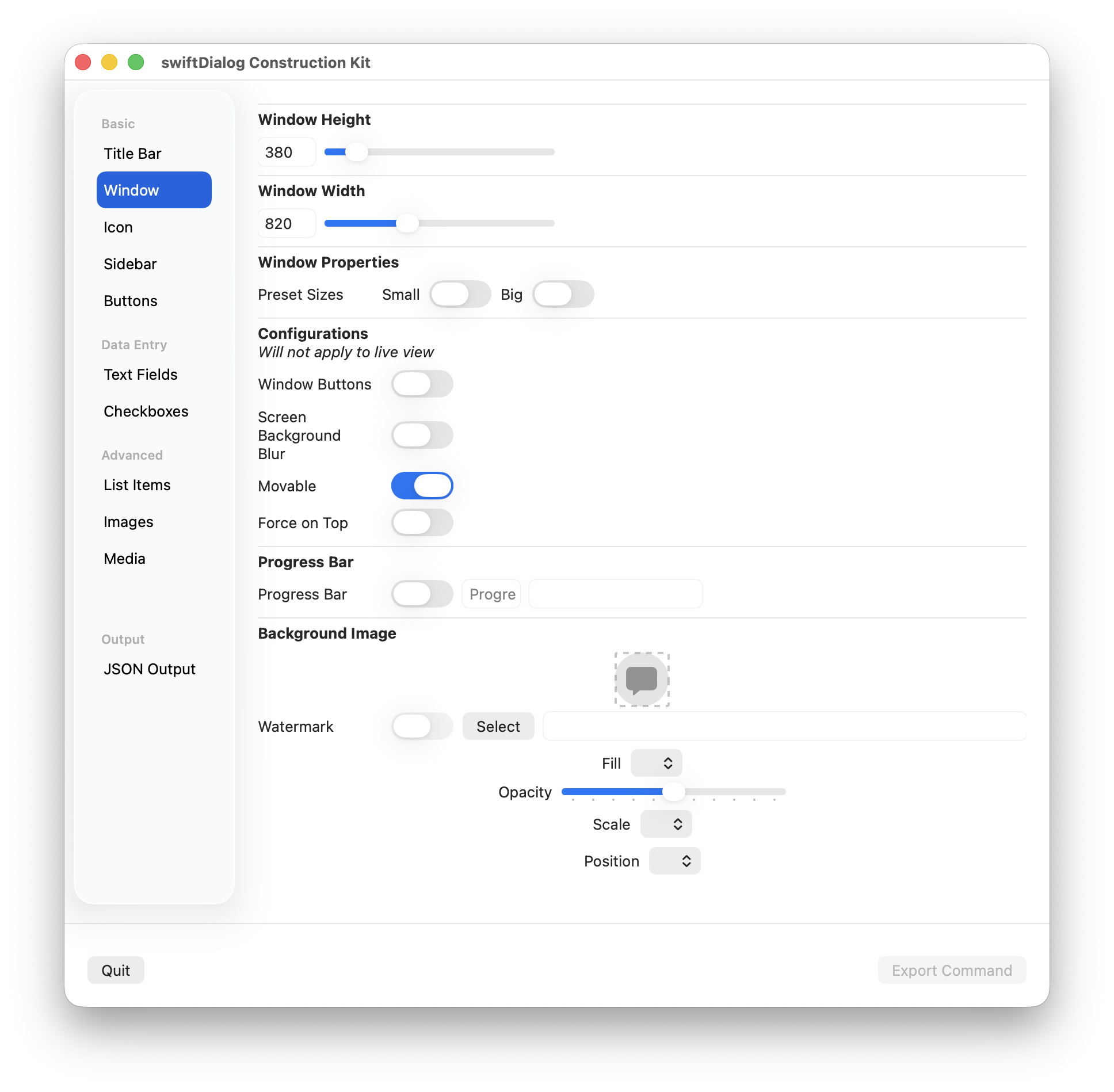
Properties
Section titled “Properties”Window Height
Section titled “Window Height”Set the desired window height
Window Width
Section titled “Window Width”Set the desired window width
Preset Sizes
Section titled “Preset Sizes”Use one of the preset sizes, small or big
Window Buttons
Section titled “Window Buttons”Enable window buttons (macOS traffic light Close, Minimise, Maximise)
Background Blur
Section titled “Background Blur”Enable the background blur layer
Moveable
Section titled “Moveable”Set whether the window can be moved around or is fixes in place
Force On Top
Section titled “Force On Top”Set whether the window is displayed on top of all other windows
Progress bar
Section titled “Progress bar”Enables the progress bar
Set the number of progress steps available. Default is 100
Background Image
Section titled “Background Image”Sets the window background image
Click the “Select” button to open a file select dialog, or drag an image from the Finder on top of the image preview area
Set Fill and Scale properties to fill or fit accordingly
Use the slider to set the image opacity
Set the position the image should be displayed (most effective when the image is smaller than the window size)