
Builder mode - title
These settings let you modify the title and titlebar area
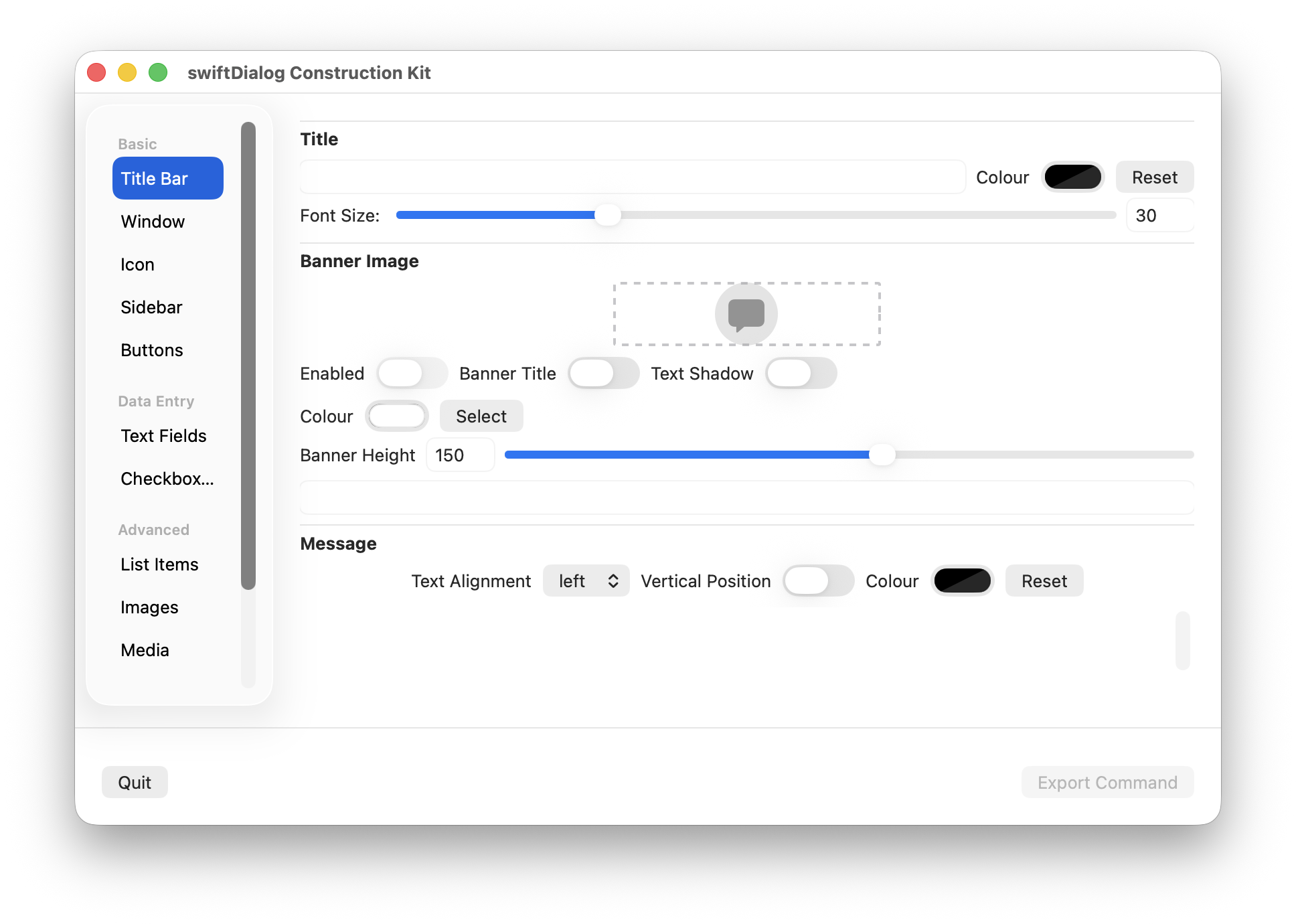
The following settings are available:
Title Text
Section titled “Title Text”Sets the text to display in the title bar area
ℹ️ Set to none to hide the title area altogether
Font Colour
Section titled “Font Colour”Clicking the colour selector will show the macOS colour picker. This will set the title text to the desired colour and will be represented in the output as a hex value
Font Size
Section titled “Font Size”Use the slider to change the desired font size.
The slider will present values between 10 and 80 but larger or smaller values can be entered in manually.
Title Banner
Section titled “Title Banner”Banner images and properties are also set here
Banner Image
Section titled “Banner Image”Drag an image onto the banner representation to set the image or click the “Select” button to open a file select prompt
Banner Enabled
Section titled “Banner Enabled”Enables or disabled the banner image
Banner Title
Section titled “Banner Title”Enables whether to show --title text on top of the banner image
Text Shadow
Section titled “Text Shadow”When used with --bannertitle will enable a drop shadow to differentiate the text from the banner image
Banner Height
Section titled “Banner Height”Use the slider to adjsut the height of the banner image area